
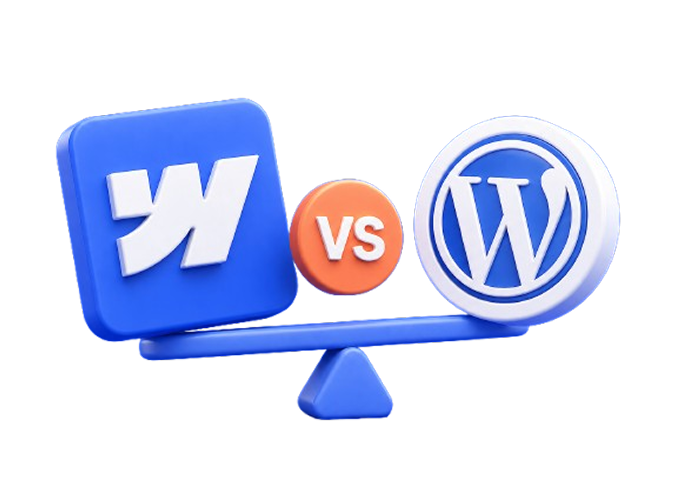
If you're looking to build or redesign your website, chances are you've come across both Webflow and WordPress. They're two of the most talked-about platforms right now — and the debate between them comes up in almost every conversation we have with new clients.
The honest answer? It depends. But not in a vague, unhelpful way.
In this post we'll break down exactly how Webflow and WordPress compare — on performance, ease of use, SEO, design flexibility, and cost — so you can make the right decision for your business.
What Is WordPress?
WordPress has been around since 2003. It powers roughly 43% of all websites on the internet — from personal blogs to large e-commerce stores.
It's an open-source platform, which means anyone can build on top of it. That's given rise to thousands of themes and plugins that extend what WordPress can do.
For a long time, WordPress was the default choice for anyone building a professional website. But that's changed.
What Is Webflow?
Webflow launched in 2013 with a different philosophy. Instead of giving you a template and a plugin library, it gives you a visual canvas where you can build exactly what you want — without writing code.
Webflow generates clean, production-ready HTML, CSS, and JavaScript. That means the design you see in the editor is exactly what your visitors see in the browser.
It's grown significantly in recent years, and it's now the platform of choice for many professional web design agencies — including us.
Webflow vs WordPress: The Key Differences
Design Flexibility
WordPress relies heavily on themes. You pick a theme, customise it within its limits, and work around its constraints. Page builders like Elementor or Divi give you more flexibility, but they add bloat — and often create performance and security issues.
Webflow gives you complete design freedom from day one. Every element on every page can be positioned, sized, and styled exactly as you want. There are no theme limitations, no workarounds, no compromises.
Winner: Webflow — if design quality and uniqueness matter to you.
Ease of Use
WordPress has a familiar dashboard that most people have encountered at some point. Adding blog posts and editing basic content is straightforward. But the moment you want to change something beyond the theme's defaults — you're either hiring a developer or fighting with a page builder.
Webflow has a steeper initial learning curve. The editor is more powerful, which means there's more to learn. But once you understand it, making changes is faster and more intuitive. The Webflow Editor also lets clients update content without ever touching the designer.
Winner: WordPress for pure simplicity. Webflow for long-term usability once learned.
Performance and Speed
This is where the difference becomes significant.
WordPress performance depends entirely on your hosting, your theme, and your plugins. A poorly optimised WordPress site can be painfully slow. Most WordPress sites need additional plugins just to reach acceptable speed scores.
Webflow hosts your site on a global CDN by default. The code it generates is clean and lightweight. There are no unnecessary plugins slowing things down. Most Webflow sites score well on Core Web Vitals without any additional optimisation.
Page speed matters for two reasons: user experience and SEO. Google uses page speed as a ranking factor. A slow website doesn't just frustrate visitors — it actively hurts your search rankings.
Winner: Webflow — consistently faster out of the box.
SEO
WordPress has strong SEO capabilities, largely thanks to plugins like Yoast or Rank Math. These give you control over meta titles, descriptions, sitemaps, and more. But SEO on WordPress is plugin-dependent — and plugins can conflict, break, or slow your site down.
Webflow has SEO controls built directly into the platform. You can edit meta titles, descriptions, alt text, canonical tags, and structured data without any plugins. Clean code and fast load times also give Webflow an inherent SEO advantage.
Winner: Webflow — SEO is built in, not bolted on.
Security
WordPress is the most hacked CMS in the world. That's not an opinion — it's a direct consequence of its popularity and open-source nature. Keeping a WordPress site secure requires regular updates, security plugins, and constant vigilance. One outdated plugin can be an open door.
Webflow is a closed, hosted platform. There are no plugins to exploit, no database to attack, no server to misconfigure. Security is handled by Webflow at the infrastructure level.
Winner: Webflow — significantly more secure by default.
Content Management
WordPress was built as a blogging platform. Managing large amounts of content — posts, pages, custom post types — is something it does well. If your business publishes a lot of content regularly, WordPress feels natural.
Webflow has its own CMS that handles blogs, case studies, team members, and any other structured content you need. It's slightly less flexible than WordPress for very complex content structures, but for most service businesses it covers everything you need.
Winner: WordPress for complex content-heavy sites. Webflow for most service businesses.
Cost
WordPress itself is free, but the real costs add up quickly — premium themes, page builders, security plugins, performance plugins, hosting, and developer fees when things break. A properly built and maintained WordPress site isn't cheap.
Webflow has a monthly subscription cost built in. Plans for business sites typically start around $23/month. But you save on hosting, security plugins, and performance tools. For most businesses, the total cost is comparable — and often lower when you factor in developer time.
Winner: Neither — costs are comparable when you account for everything.
Which One Is Right for Your Business?
Here's a simple way to think about it:
Choose WordPress if:
-
You need a very complex, highly customised setup (usually with a developer involved)
-
You already have a large existing WordPress site and migrating would be costly
-
You’re relying on specific plugins that don’t have alternatives
But in most cases, WordPress is chosen because it’s familiar — not because it’s the better long-term solution.
Choose Webflow if:
-
You want a fast, secure, high-performing website without ongoing maintenance issues
-
Design quality and uniqueness matter to your brand
-
You want to easily update your content without relying on developers
-
You prefer built-in SEO and performance, instead of managing multiple plugins
-
You’re building or rebuilding a service-based website
For most service businesses — agencies, consultants, coaches, professional services — Webflow is the better choice in 2026. It's faster, more secure, easier to maintain, and produces better-looking results.
Why We Build in Webflow
At Interyflow, we've worked with both platforms. We chose Webflow because it lets us build websites that perform — not just look good.
No plugin conflicts. No security patches. No performance workarounds. Just a clean, fast website that's designed to convert visitors into clients.
WordPress isn't bad. For the right use case, it's still a solid choice. But for most service businesses looking to build a professional website that generates leads — Webflow wins on almost every measure that matters.
Faster. More secure. Better design. Built-in SEO. Easier to maintain.
If you're still not sure which platform is right for your business — book a free strategy call and we'll give you an honest answer based on your specific situation.
At Interyflow, we build Webflow websites designed to convert visitors into clients. No templates, no compromises — just websites that work.